

How Do I Protect Myself Against Hackers
Learn simple cybersecurity rules to protect your social media, WhatsApp, and bank accounts. A practical guide to avoid becoming an easy target.


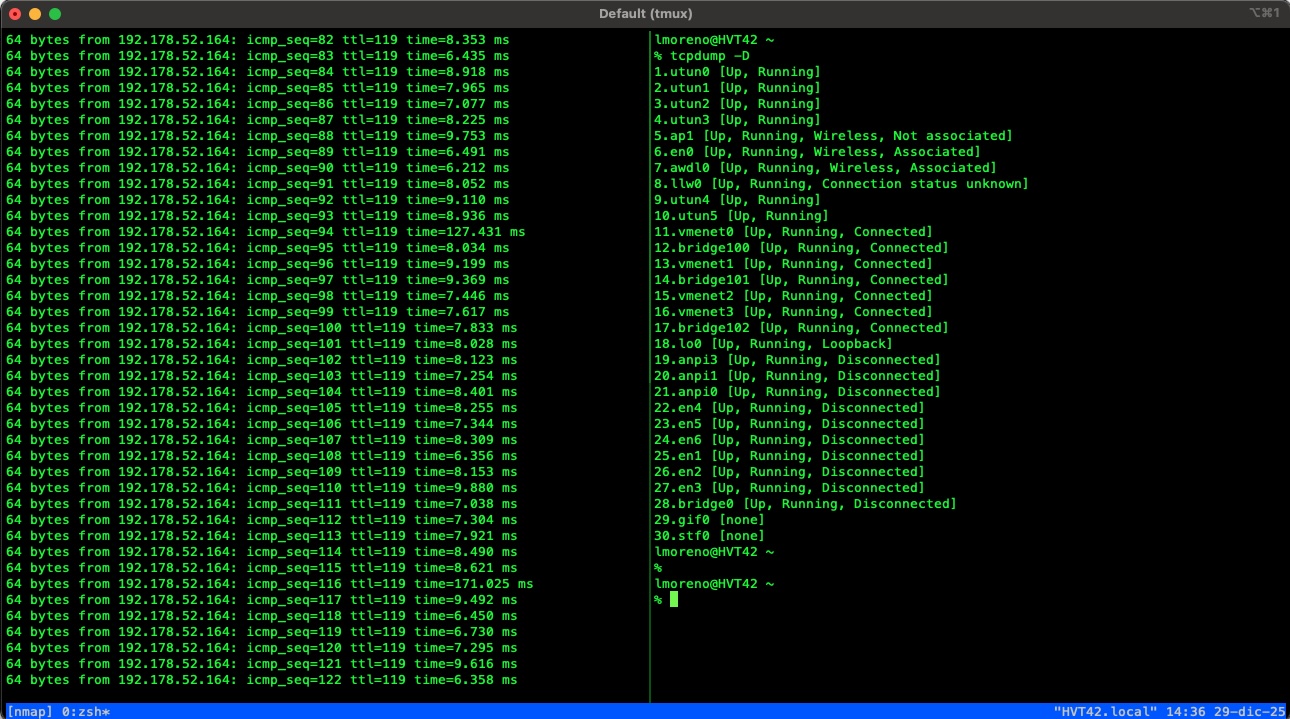
Prefix: Ctrl + a (Press both—in this example, the CTRL key and the A key—release them, and then press the next key). Note: If you haven’t changed your tmux configuration as described at the end of the table, your default combination remains Ctrl + b.
| Category | Shortcut / Command | Action |
|---|---|---|
| Sessions | tmux | Start a new session |
tmux new -s <name> | Start a session with a specific name | |
Ctrl + a then d | Detach from the current session | |
tmux ls | List all active sessions | |
tmux a -t <name> | Attach to a specific session | |
Ctrl + a then s | Send current window to another tmux session | |
| Windows | Ctrl + a then c | Create a new window (tab) |
Ctrl + a then , | Rename the current window | |
Ctrl + a then n / p | Next / Previous window | |
Ctrl + a then 0-9 | Switch to window by number | |
Ctrl + a then w | List and select windows | |
Ctrl + a then & | Kill (close) the current window | |
| Panes | Ctrl + a then % | Split Vertically (left/right) |
Ctrl + a then " | Split Horizontally (top/bottom) | |
Ctrl + a then Arrows | Navigate between panes | |
Ctrl + a then z | Toggle Zoom (Maximize pane) | |
Ctrl + a then x | Close the current pane | |
Ctrl + a then space | Cycle through layouts | |
Ctrl + a then q | Show pane numbers | |
| Misc | Ctrl + a then [ | Enter Copy Mode (Scroll/Copy) |
q | Exit Copy Mode / Help / Menu | |
Ctrl + a then : | Open tmux command prompt | |
Ctrl + a then ? | View all key bindings |
This configuration is very common among cybersecurity professionals. It focuses on personalizing ergonomics, responsiveness, and session logging.
Place the following configuration in your config file, typically located at ~/.tmux.conf. You will find the detailed explanation below:
set -g prefix C-a
bind C-a send-prefix
unbind C-b

set -g history-limit 100000
set -g allow-rename off
set -g @plugin 'tmux-plugins/tmux-logging'
set -g status-bg colour27
set -g status-fg white
set -g mouse on

bind-key j command-prompt -p "Join pane from:" "join-pane -s '%%'"
bind-key s command-prompt -p "Send pane to:" "join-pane -t '%%'"

set-window-option -g mode-keys vi

run-shell /opt/tmux-logging/logging.tmux
set -g prefix C-a
bind C-a send-prefix
unbind C-b
Ctrl + b (default) to Ctrl + a.Ctrl + a is much easier to reach with your left hand. In my case, I used GNU screen before tmux and have already internalized this muscle memory. The second line ensures that pressing Ctrl + a twice sends the command to an application running inside tmux (like a VM). The third line disables the original prefix to avoid conflicts.set -g history-limit 100000
set -g allow-rename off
set -g mouse on
history-limit: Increases the scrollback buffer to 100,000 lines. The default is quite short (approx. 2,000 lines). This is vital when running tools that generate heavy output, such as Nmap scans.allow-rename off: Prevents programs (like bash or zsh) from automatically renaming your windows.mouse on: Enables mouse support (scrolling, resizing panes, and selecting windows with a click). This is extremely useful in graphical environments, allowing you to scroll through history and switch panes effortlessly.set -g status-bg colour27
set -g status-fg white
set -g @plugin 'tmux-plugins/tmux-logging'
run-shell /opt/tmux-logging/logging.tmux
colour27) with white text. This helps you quickly identify that you are working inside a tmux session.tmux-logging plugin. This is highly useful as it allows you to save a complete record of everything typed and received on the screen—ideal for building audit reports or documenting CTFs. (Note: This requires the plugin to be installed; we will cover that configuration in another post).bind-key j command-prompt -p "Join pane from:" "join-pane -s '%%'"
bind-key s command-prompt -p "Send pane to:" "join-pane -t '%%'"
These are powerful functions for manipulating panes across different windows:
j (Join): Allows you to “pull” a pane from another window into your current one. For example, pressing Prefix + j and typing 2 will pull window 2 here as a new pane.s (Send): “Sends” your current pane to another existing window.set-window-option -g mode-keys vi
h, j, k, l) when in Copy Mode (Prefix + [).~/.tmux.conf file./opt/tmux-logging/ (don’t worry, we will cover this in a future post).tmux source-file ~/.tmux.confLearn simple cybersecurity rules to protect your social media, WhatsApp, and bank accounts. A practical guide to avoid becoming an easy target.
Learn how to create a bootable Kali Linux USB on macOS using the terminal and the dd command.